Find an old task
Task search starts across all dates, priorities, and completion states. You can narrow the results with filters. Use completed-task history to look back at what you’ve finished.
NexDo combines tasks, calendar, AI, and real-world actions to help you plan, prioritize, and get things done — effortlessly.
HOW IT WORKS
Capture what matters, give it a place in your day, and follow through with NexDo.
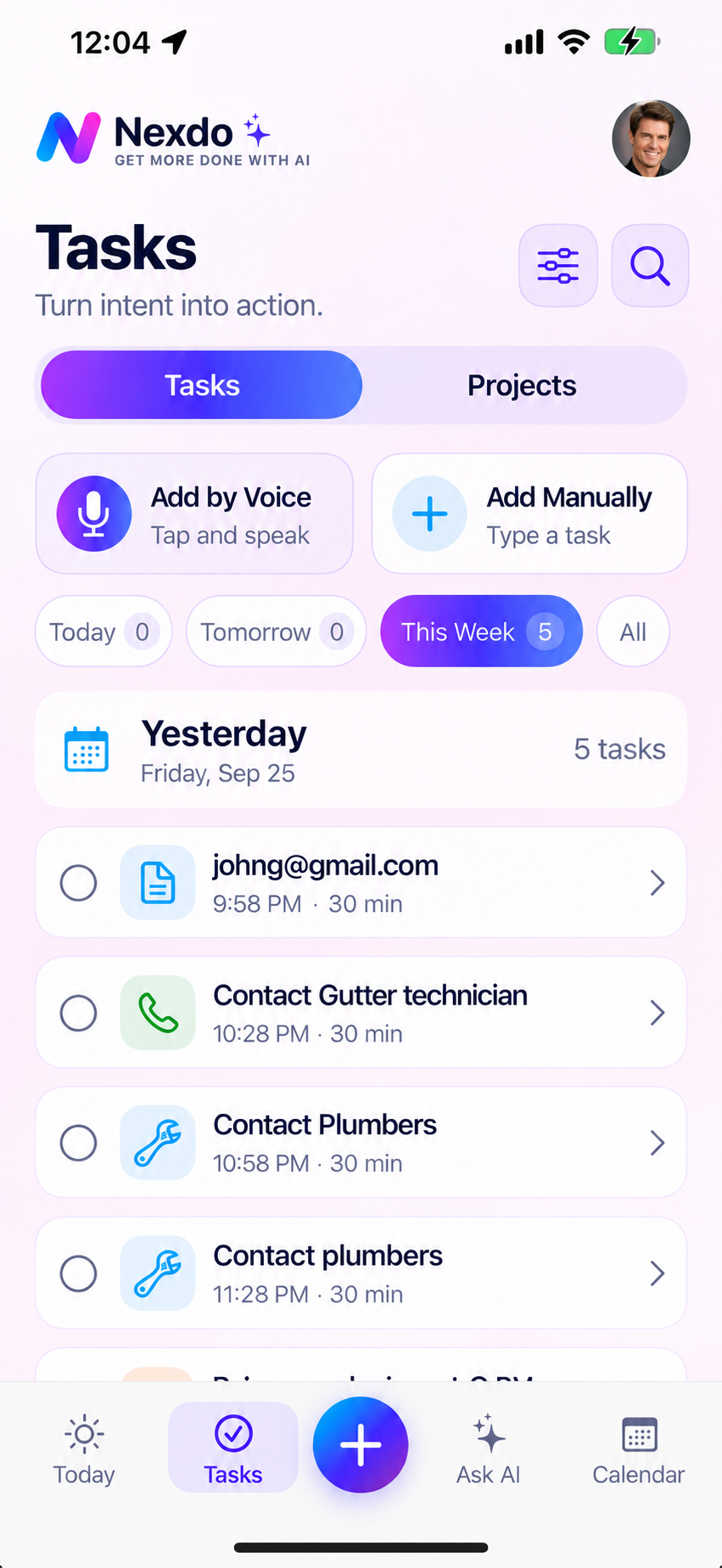
Open Tasks and add by voice or manually. Give your task a clear title. In a voice conversation, you can add more tasks or correct the details as you go.
Open Task Details to add notes, set priority and an estimated duration, choose a project, or break the task into smaller steps. Save your changes.
Set a date and start time when you’re ready to schedule. Find tasks with date, status, and priority filters, or ask AI what fits the time you have.
Start a task, update its details as plans change, and mark it complete when finished. Mark it incomplete to reopen it. Completed tasks remain searchable.
TRY THE FLOW
Follow this example from capture to completion. Select a step to explore what happens in the app.
Illustrative walkthrough only. No task is saved and no reminder is scheduled.
A SIMPLE START
Write a clear title, then add context to help you pick it up later.
Sample task · Website preview
Task search starts across all dates, priorities, and completion states. You can narrow the results with filters. Use completed-task history to look back at what you’ve finished.
Eligible open tasks offer a 25-minute focus session in Task Details. Use it when you want dedicated time for the next step.
Explore Pomodoro →For supported requests such as finding a plumber, confirm your city or ZIP and preferences. Review business options and edit the outreach draft. You send the message yourself; research does not book or pay a business.
NexDo brings together productivity and real-world actions with AI that understands you.
Create, edit, organize and search tasks. Filter by date or status. Find both open and completed tasks.
Speak naturally to create tasks, add more in the same conversation, or correct details — “Actually, make that noon.”
Ask AI to create, update, complete, delete, reschedule tasks, or set reminders. NexDo shows proposed changes for your approval.
Connect tasks to calling, messaging, or emailing contacts. Get notifications, snooze when needed, and recover if opened early.
Get recommendations on what to work on next, compare tasks, identify work that fits your available time, and propose schedule adjustments with clear explanations.
NexDo recognizes local-service requests like “find a plumber” and starts a research workflow. Ordinary personal tasks remain ordinary tasks.
Confirms your city/ZIP, captures preferences, and searches Google Places. Yelp integration is also available as a second source.
See up to 5 curated businesses with ratings, reviews (20+), photos, details, maps, and website links.
Choose a business, review or edit an availability request draft, copy contact details, or open the prepared message in Messages.
NexDo runs research and actions in the background with progress tracking. You can pause, cancel, resume or retry. Persistent state and recovery prevent duplicate work.
NexDo always shows you proposed changes and outreach messages for your approval.
No actions are taken without your confirmation.
Tasks, calendar, AI, and real-world actions — all in one app.
Get Started with NexDo